General dentistry

A website for a general dentistry practice that grows from one office to several without a rebuild

A general dentistry website earns its keep by giving every office its own page, every service its own page and every family a quick way to find the nearest chair, and it should be built so that adding a second or third office is a revision rather than a new site.

Book a demoPlans from $137 a month

Case notes

What usually goes wrong for general dentistry practices

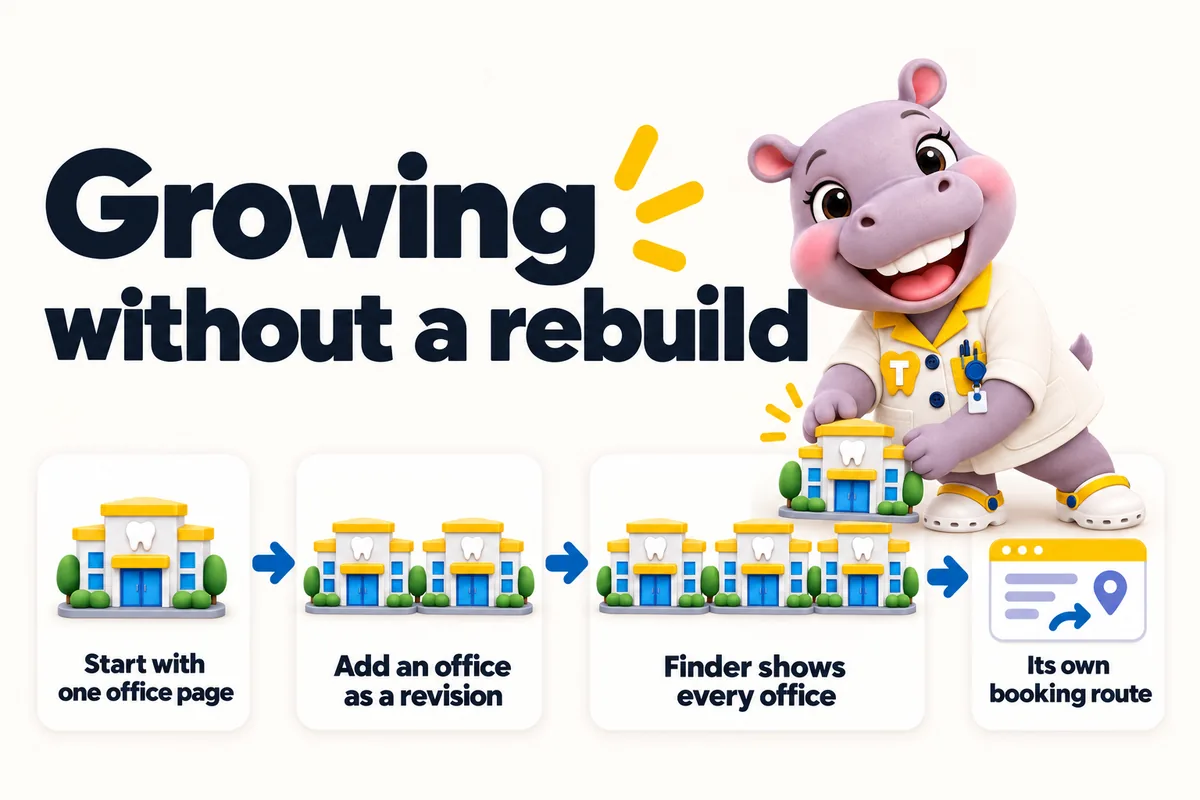
Growing without a rebuild: start with one office page, add an office as a revision, finder shows every office, its own booking route. Tiffy adds a new office to the row.
  • The site was built for one office, so the second office is a paragraph at the bottom of the contact page with no hours of its own.
  • New patient requests go to one inbox and get forwarded by hand, so the wrong office calls back or nobody does.
  • Service pages were written once for the whole practice, so there is nothing for search engines to rank for the newer office.
  • Hours change for a holiday and the site still shows the old ones because nobody on the team wants to log in to a page builder.

Contents

The pages your site will carry

Written from what you tell us on the onboarding call, approved by you before launch, and kept accurate every week after it.

  1. Home with the location and provider finder
  2. One location page per office with hours, parking and providers
  3. New patients page with what to bring and what to expect
  4. One service page per family service, from cleanings and exams to crowns and Invisalign
  5. One provider page per dentist and hygienist
  6. Insurance and payment plans page per office
  7. Emergency dental care page with per-office routing
  8. Request an appointment

Location and provider finder for family practices

A family picks the service they need, from a routine cleaning to a same-day emergency visit, types their town and sees the nearest office with today's hours and the dentists and hygienists working there. The request goes to that office's front desk system with the service and preferred time attached, so the right office calls back.

Case studies

Case files from general dentistry practices and practices like them

All case studies
  • No. 02General dentistry

    Billings, Montana Family dentistry practice

    A phone-friendly route into dental office selection

    With dental office selection, people gave up partway through the menu or called simply to ask where things were. Even the team struggled to direct someone to the right page without a desktop in front of them.

    • Mobile navigation
    • Short page sections
    • Visible contact action

    15 working days

  • No. 03General dentistry

    Tulsa, Oklahoma Full-service family dental surgery

    The dental office selection questions, answered properly

    Day to day with dental office selection, dependable answers existed, but only inside old email chains. Visitors called about simple matters, and new staff had no reference to check their wording against.

    • Staff-reviewed FAQ
    • Topic grouping
    • Named content owner

    20 working days

  • No. 06General dentistry

    Tacoma, Washington Community dental practice

    Setting honest expectations for dental office selection

    With dental office selection, visitors read general descriptions as commitments about their own situation. First conversations often opened with unpicking those assumptions.

    • Scope explanation
    • Staff-reviewed limitations
    • Request status wording

    15 working days

Reviews

What general dentistry practices tell us

  • We expected a prettier website; what we actually use every day is the new form. It collects preferred office, visit reason and callback number up front, so the back-and-forth we used to do by reply has largely gone. Most mornings I can prepare for the callback from the first message alone.

    Got Inquiry form and response workflow for dental office selection

    Miles SelwynPractice owner, Suburban family dental clinic
    Green Bay, Wisconsin
  • Most of our visitors are on phones, so that is where I reviewed the new dental office selection pages. The essentials are within the first screen, with an obvious way to inquire. It is far more practical than the old page when we share it with a caller.

    Got Mobile navigation and page layout for dental office selection

    Rashid TawilTreatment coordinator, Private dental practice
    Columbia, South Carolina

How it runs

What happens after you order

Four steps to live, then the site is kept accurate every week. 5 revisions a month are included on every plan, each completed within 2 to 5 working days.

  1. 01

    Pay the first monthly invoice

    Pick a plan and pay the first month. That is the whole commitment; the $797 build fee waits until your site is live.

    Day 0
  2. 02

    One onboarding call

    Thirty minutes with your operations lead: offices, providers, services, brand, where each office's requests should go, and hub or one site per location.

    Day 1
  3. 03

    We build

    We design the site, write the pages, configure the finder for each office and connect each front desk. You review, we revise.

    Build
  4. 04

    Live, then the build fee

    Your site goes live in 7, 10 or 15 days depending on the plan. Only then is the $797 build fee invoiced. Weekly updates start the same week.

    Day 7 to 15

General dentistry

See a site built for general dentistry practices

We walk you through the pages, the finder and the request routing set up for a practice like yours, then tell you which plan fits. Live in 7 days from the onboarding call.

Three ways to run it

Same site on every plan. The larger plans add the AI Engine and the Content Engine. The $797 build fee is invoiced after launch on all three.

The plan we usually suggest

Chairside

We usually suggest family practices start on Chairside: every office, service and provider page, the finder, routing, weekly updates and 2 articles a week. Busy desks that miss calls between patients move up to Operatory Suite for the AI receptionist.

Compare the plans line by line Every feature explained How we compare

Risk reversal

What we guarantee

Each promise is written with its condition in plain sight, so nothing is discovered after the invoice.

  • Build fee only after you approve the live site

    The $797 one-time build fee is invoiced after launch, once you have seen the site live and are happy with it.

    Condition The first monthly fee is paid up front to start the plan.

  • 90+ PageSpeed, held

    Every page we build scores at or above the target on mobile and desktop at launch.

    Condition If a page drops below it because of our work, we fix it at no charge and it does not use a revision.

  • Local rankings within 3 to 5 months

    The site starts ranking for local searches in your area within the window.

    Condition If it has not, we keep working on it at no charge. We never promise a specific position.

Questions

Questions from general dentistry practices

We have one office now and plan a second. Do we need a hub site already?

No. Start with a site built as a hub with one location page. When the second office opens, its page is added as a revision, the finder starts showing both offices, and the new office gets its own booking routing. Nothing is rebuilt and the first office keeps everything it has earned in search.

Can new patient forms differ by office?

Yes. Each office can have its own request form fields, its own confirmation message and its own destination, so a location that runs a separate practice management system gets requests in that system while the others share a group CRM.

Do you write the service pages or do we?

We write them from the services you tell us you offer, in plain language for patients, and you approve them before launch. They are general information rather than advice, and they list the offices and providers that offer each service. Changes afterwards are revisions or weekly detail updates depending on size.

How fast will a general dentistry site be live?

Seven days on Chairside, ten on Operatory Suite and fifteen on Group, counted from the onboarding call. The build fee is invoiced only after the site is live and you are happy with it.

Can families request appointments for several family members at once?

Yes. The request form can ask how many people need appointments and which services, without collecting any health information, and it lands with the office the family chose.

Do you list the insurance plans each office accepts?

Yes, per office, as you tell us. When an office stops accepting a plan, email us and it is updated that week as a weekly detail update.

Can an emergency dental page route to the office that has space today?

The emergency page routes to the destination you choose per office, such as a phone line or your CRM with an urgent tag. The site never gives clinical advice about symptoms.

Does the new patients page explain what to bring?

Yes. A new patients page covers what to bring, what to expect at a first visit and how to request an appointment, per office where the details differ, as general information.

Next step

See it built for general dentistry

A live walk-through, on your screen, of the site you would get. Thirty minutes, no slides.