DSO-affiliated practices

A website for DSO-affiliated practices that keeps the parent brand and the local office both honest

A DSO-affiliated practice website has to follow the parent brand's rules while still reading as the local office a patient will walk into, so it carries the brand system at the top, the office's own providers, hours and story on the page, and routes every request to that office's front desk rather than a central inbox.

DSO-affiliated practices often span several states. Practices in Texas, Florida, California, New York, Illinois and Georgia can share one component system while each keeps a page written for its own town.

Book a demoPlans from $137 a month

Case notes

What usually goes wrong for dso-affiliated practices

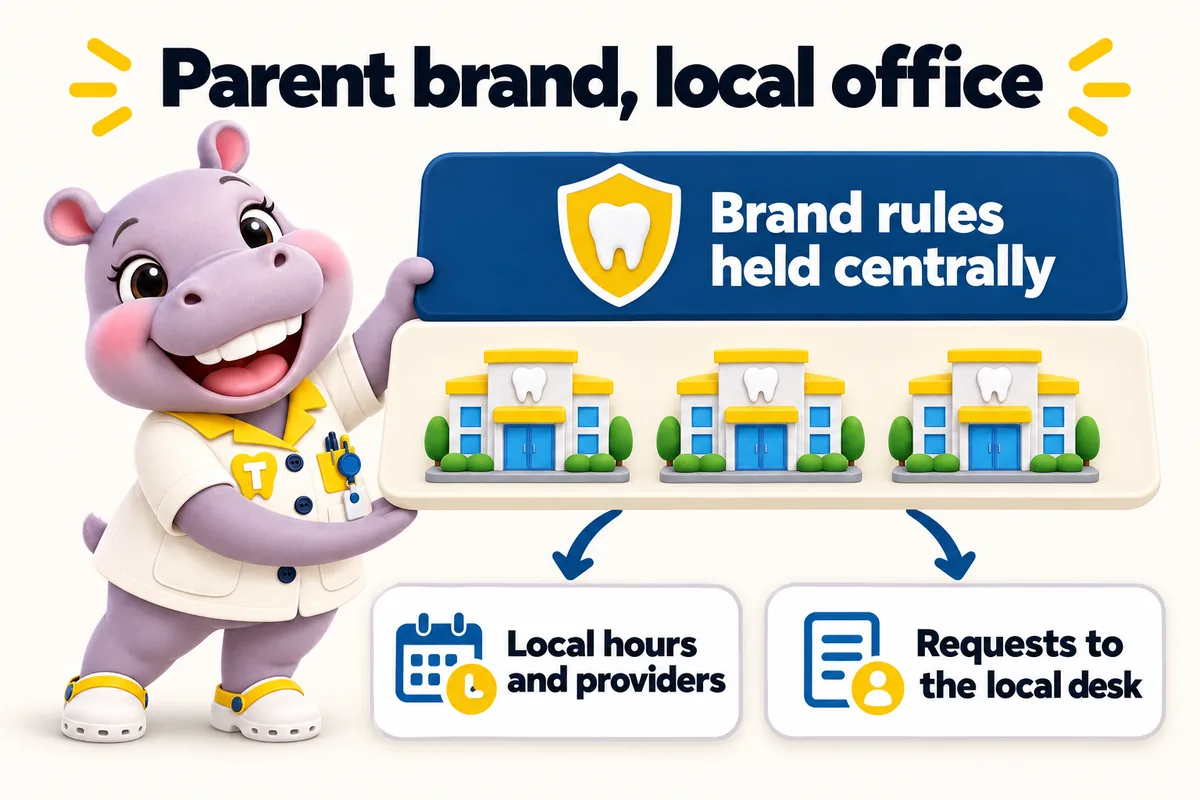
Parent brand, local office: brand rules held centrally, local hours and providers, requests to the local desk. Tiffy holds up both layers.
  • The parent template makes every office look identical, so patients cannot tell which one is near them or who works there.
  • Requests go to a central call center that does not know the office, so callbacks are slow and generic.
  • Local office managers cannot change anything, so hours and providers drift out of date.
  • Brand rules are strict and the current site breaks them in small ways nobody has time to fix.

Contents

The pages your site will carry

Written from what you tell us on the onboarding call, approved by you before launch, and kept accurate every week after it.

  1. Home with the finder, in the parent brand system
  2. One location page per affiliated office with local providers and hours
  3. Service pages written to the brand's approved language, with per-office availability
  4. One provider page per clinician
  5. About this office page with the local story
  6. Insurance and membership plan page per office
  7. Brand-approved patient forms and policies pages
  8. Request an appointment at this office

Finder that routes to the local desk under the parent brand

A patient picks a service and a town and sees the nearest affiliated office, its hours and its providers, presented in the parent brand system. The request is tagged with the office and delivered where the DSO decides: the local front desk system, a regional CRM with an office field, or a central platform with per-office pipelines. The office is always identified, so the callback comes from someone who knows it.

Case studies

Case files from dso-affiliated practices and practices like them

All case studies
  • No. 05Endodontics

    Lexington, Kentucky Emergency and general dental surgery

    Helping people prepare for dental office selection

    For dental office selection, the briefing's content depended on its author and their afternoon. Consistency, not quality, was what was missing.

    • Preparation page
    • Minimal initial fields
    • Staff-approved instructions

    10 working days

  • No. 06General dentistry

    Tacoma, Washington Community dental practice

    Setting honest expectations for dental office selection

    With dental office selection, visitors read general descriptions as commitments about their own situation. First conversations often opened with unpicking those assumptions.

    • Scope explanation
    • Staff-reviewed limitations
    • Request status wording

    15 working days

  • No. 07Orthodontics

    Worcester, Massachusetts Orthodontic and general dentistry clinic

    Who answers what: dental office selection made accountable

    Day to day with dental office selection, duplicated replies and orphaned messages happened in the same week. Stepping in for an absent colleague meant archaeology through long email chains.

    • Assignment rules
    • Follow-up status
    • Backup owner

    20 working days

Reviews

What dso-affiliated practices tell us

  • The preparation page for dental office selection works because it keeps its focus. It tells people what to have ready before we speak, without demanding everything up front. The link now goes out with our reply to every new inquiry.

    Got Preparation guide and inquiry support for dental office selection

    Robin RothermereNew patient coordinator, Sedation and anxious-patient dental practice
    Fargo, North Dakota
  • The time we spent on the dental office selection wording was time well spent. It explains what an inquiry achieves and is honest about what still needs a proper discussion. Customers arrive with realistic expectations, which changes the whole tone of the first call.

    Got Service scope and expectations for dental office selection

    Viola DuttonOffice administrator, Pediatric and family dental practice
    Baton Rouge, Louisiana

How it runs

What happens after you order

Four steps to live, then the site is kept accurate every week. 5 revisions a month are included on every plan, each completed within 2 to 5 working days.

  1. 01

    Pay the first monthly invoice

    Pick a plan and pay the first month. That is the whole commitment; the $797 build fee waits until your site is live.

    Day 0
  2. 02

    One onboarding call

    Thirty minutes with your operations lead: offices, providers, services, brand, where each office's requests should go, and hub or one site per location.

    Day 1
  3. 03

    We build

    We design the site, write the pages, configure the finder for each office and connect each front desk. You review, we revise.

    Build
  4. 04

    Live, then the build fee

    Your site goes live in 7, 10 or 15 days depending on the plan. Only then is the $797 build fee invoiced. Weekly updates start the same week.

    Day 7 to 15

DSO-affiliated practices

See a site built for dso-affiliated practices

We walk you through the pages, the finder and the request routing set up for a practice like yours, then tell you which plan fits. Live in 7 days from the onboarding call.

Three ways to run it

Same site on every plan. The larger plans add the AI Engine and the Content Engine. The $797 build fee is invoiced after launch on all three.

The plan we usually suggest

Operatory Suite

Affiliated practices are usually best served by Operatory Suite, so every local desk has AI answering for overflow while requests reach the DSO's central CRM with the office attached.

Compare the plans line by line Every feature explained How we compare

Risk reversal

What we guarantee

Each promise is written with its condition in plain sight, so nothing is discovered after the invoice.

  • Build fee only after you approve the live site

    The $797 one-time build fee is invoiced after launch, once you have seen the site live and are happy with it.

    Condition The first monthly fee is paid up front to start the plan.

  • 90+ PageSpeed, held

    Every page we build scores at or above the target on mobile and desktop at launch.

    Condition If a page drops below it because of our work, we fix it at no charge and it does not use a revision.

  • Local rankings within 3 to 5 months

    The site starts ranking for local searches in your area within the window.

    Condition If it has not, we keep working on it at no charge. We never promise a specific position.

Questions

Questions from dso-affiliated practices

Can the site follow a brand guide from the DSO exactly?

Yes. We build to the brand system you supply, including colors, type, logo rules and approved service language, and we keep the local office content inside those rules. Brand updates from the parent are applied as revisions.

Who is allowed to send changes, the office or the DSO?

Whoever you decide. Many groups let office managers send weekly detail updates for hours and providers while the DSO marketing team approves anything that touches brand or service language. We follow the approval path you set.

Can requests go to a central platform and still identify the office?

Yes. Every request carries the office, service and provider, and can be delivered to a central CRM with an office field, a regional pipeline or the local desk, by API, Zapier or Make.

Does the site need its own domain or a path on the DSO domain?

Either. It can live on its own domain, on a subdomain of the parent, or as a section of the parent site if the DSO prefers, with the same location page structure and per-office schema in each case.

Can affiliated practices keep their own names?

Yes. Each practice page can carry its own name inside the parent brand system, or practices can run as separate sites on the same structure.

Can the DSO see every request?

Yes. Requests can go to a central CRM with an office field, to regional pipelines, to the local desk, or to more than one of these.

How are brand changes rolled out?

A brand change from the parent is a revision applied across every practice page at once, because the components are shared.

Can practices in different states have different policies?

Yes. Office-specific details, including state-specific notes you supply, sit on each office page. We recommend your counsel reviews state-specific policy wording.

Next step

See it built for dso-affiliated practices

A live walk-through, on your screen, of the site you would get. Thirty minutes, no slides.