Multi-location groups

A website for a multi-location dental group where every office ranks, books and stays accurate on its own

A multi-location dental group website works when every office has its own page, its own providers, its own schema and its own booking route, held together by one hub or split into one site per location, and kept accurate every week by someone whose job it is.

We work remotely with multi-office groups anywhere in the US, whether the offices sit in Texas, Florida, California, New York and Illinois or across several states at once.

Book a demoPlans from $137 a month

Case notes

What usually goes wrong for multi-location dental groups

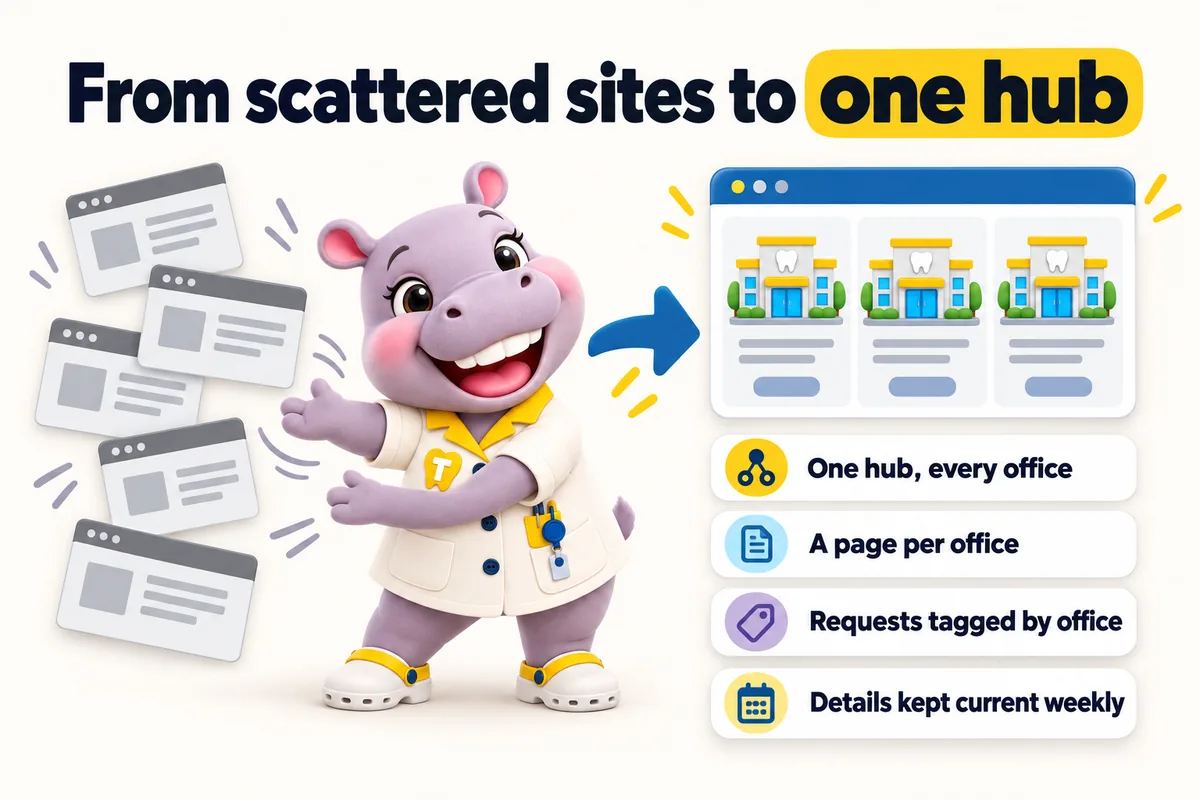
From scattered sites to one hub: one hub, every office; a page per office; requests tagged by office; details kept current weekly. Tiffy gathers the old sites into the hub.
  • Offices were acquired with their own sites in different states of repair, and nobody can say which is the official one.
  • A single contact form serves every office, so requests are forwarded by hand and some are never answered.
  • Only the head office ranks because the others are addresses on a page rather than pages of their own.
  • Keeping hours, providers and insurance current across a dozen offices is nobody's job, so it is everybody's complaint.

Contents

The pages your site will carry

Written from what you tell us on the onboarding call, approved by you before launch, and kept accurate every week after it.

  1. Hub home with the location and provider finder
  2. Locations index and one location page per office
  3. One service page per service, listing the offices that offer it
  4. One provider page per clinician, listing the offices they work at
  5. Group about page and per-office story sections
  6. Insurance and financing page with per-office differences
  7. Careers page routed to your recruiting inbox
  8. Request an appointment at any office

Group-wide location and provider finder

A patient picks a service and a town and sees the nearest offices that offer it, each with today's hours and the providers on site, and a request button for that office. Every request is tagged with office, provider and service and delivered to that office's front desk system or the group CRM with an office field, so no request depends on someone forwarding it.

Case studies

Case files from multi-location dental groups and practices like them

All case studies
  • No. 10Multi-location groups

    Santa Rosa, California Multi-surgery family dental practice

    Guiding dental office selection visitors to the right door

    With dental office selection, subjects gave nothing away. The morning sort consumed the hour that answering should have had.

    • Contact categories
    • Separate follow-up route
    • Relevant form fields

    15 working days

  • No. 15General dentistry

    Tulsa, Oklahoma Private dental practice

    Keeping old dental office selection links alive after a rebuild

    Day to day with dental office selection, the business faced a choice between keeping a structure that no longer fitted and breaking links it could not count.

    • URL inventory
    • Redirect map
    • Internal link updates

    20 working days

  • No. 16Periodontics

    Harrisburg, Pennsylvania General and periodontal dental practice

    Giving staff control of dental office selection changes

    When it comes to dental office selection, whoever published an update had to interpret the request, while whoever approved it could not easily compare old and proposed wording side by side.

    • Structured change request
    • Named approver
    • Before-and-after preview

    25 working days

Reviews

What multi-location dental groups tell us

  • Converting our dental office selection attachment into proper pages was overdue. I can send the exact section someone needs, and they can read it without downloading anything. A printable copy still exists for those who ask.

    Got Structured reference pages for dental office selection

    Gregory FrostPractice administrator, Multi-surgery family dental practice
    Ann Arbor, Michigan
  • The old dental office selection address sits in hundreds of our sent messages; breaking it was not an option. The redirect plan was presented for our approval like any other deliverable. Not one 'your link is broken' message arrived after launch.

    Got Page migration and redirect mapping for dental office selection

    Deepak ShettyReception supervisor, Family dentistry practice
    Akron, Ohio

How it runs

What happens after you order

Four steps to live, then the site is kept accurate every week. 5 revisions a month are included on every plan, each completed within 2 to 5 working days.

  1. 01

    Pay the first monthly invoice

    Pick a plan and pay the first month. That is the whole commitment; the $797 build fee waits until your site is live.

    Day 0
  2. 02

    One onboarding call

    Thirty minutes with your operations lead: offices, providers, services, brand, where each office's requests should go, and hub or one site per location.

    Day 1
  3. 03

    We build

    We design the site, write the pages, configure the finder for each office and connect each front desk. You review, we revise.

    Build
  4. 04

    Live, then the build fee

    Your site goes live in 7, 10 or 15 days depending on the plan. Only then is the $797 build fee invoiced. Weekly updates start the same week.

    Day 7 to 15

Multi-location groups

See a site built for multi-location dental groups

We walk you through the pages, the finder and the request routing set up for a practice like yours, then tell you which plan fits. Live in 7 days from the onboarding call.

Three ways to run it

Same site on every plan. The larger plans add the AI Engine and the Content Engine. The $797 build fee is invoiced after launch on all three.

The plan we usually suggest

Group

Multi-location groups are usually best served by Group: the full site, the AI Engine per office and the Content Engine with managed Google Business Profiles for every office, on one fee per group.

Compare the plans line by line Every feature explained How we compare

Risk reversal

What we guarantee

Each promise is written with its condition in plain sight, so nothing is discovered after the invoice.

  • Build fee only after you approve the live site

    The $797 one-time build fee is invoiced after launch, once you have seen the site live and are happy with it.

    Condition The first monthly fee is paid up front to start the plan.

  • 90+ PageSpeed, held

    Every page we build scores at or above the target on mobile and desktop at launch.

    Condition If a page drops below it because of our work, we fix it at no charge and it does not use a revision.

  • Local rankings within 3 to 5 months

    The site starts ranking for local searches in your area within the window.

    Condition If it has not, we keep working on it at no charge. We never promise a specific position.

Questions

Questions from multi-location dental groups

Hub or one site per location: which should a group choose?

A hub suits most groups: one domain, one brand, pooled authority, and a page per office with its own schema and routing. One site per location suits offices that trade under different names or may be sold separately. We build both and can move a group between them later with redirects rather than a rebuild.

How do you handle offices we acquired with their own websites?

We map every page from each acquired site to its new place on the hub, keep what ranks, redirect the old URLs and either point the old domains to their new location pages or keep them as standalone sites. You approve the map before anything moves.

Is the fee per office?

No. One monthly fee covers the whole group, however many offices are on the site, and the build fee is charged once. Adding an office is a revision.

Who keeps every office accurate?

We do, through weekly detail updates. Any office manager can email a change, or the operations lead can send one list, and it is applied that week to the page, the schema and the finder. Nobody at the group logs in.

Can one site cover offices in several states?

Yes. A hub can carry offices in Texas, Florida and California or any other state, each with its own page, hours, providers and details.

Can each office have its own AI receptionist settings?

Yes, on Operatory Suite and Group. Each office keeps its own greeting, providers and booking destination, and can be switched off separately.

Who at the group sends changes?

Anyone you give access: office managers for weekly details, the operations lead for larger revisions. Everything runs through the client portal or email.

Do we get one invoice for the whole group?

Yes. One monthly fee covers every office on the plan, and the build fee is charged once for the group.

Next step

See it built for multi-location groups

A live walk-through, on your screen, of the site you would get. Thirty minutes, no slides.