Oral surgery

A website for an oral surgery practice that serves referring dentists and patients equally well

An oral surgery website serves two audiences at once: the referring dentist who needs a fast referral route and clear information about which office handles which procedures, and the patient who has just been told they need a surgeon and wants to know who, where and what happens next.

Book a demoPlans from $137 a month

Case notes

What usually goes wrong for oral surgery practices

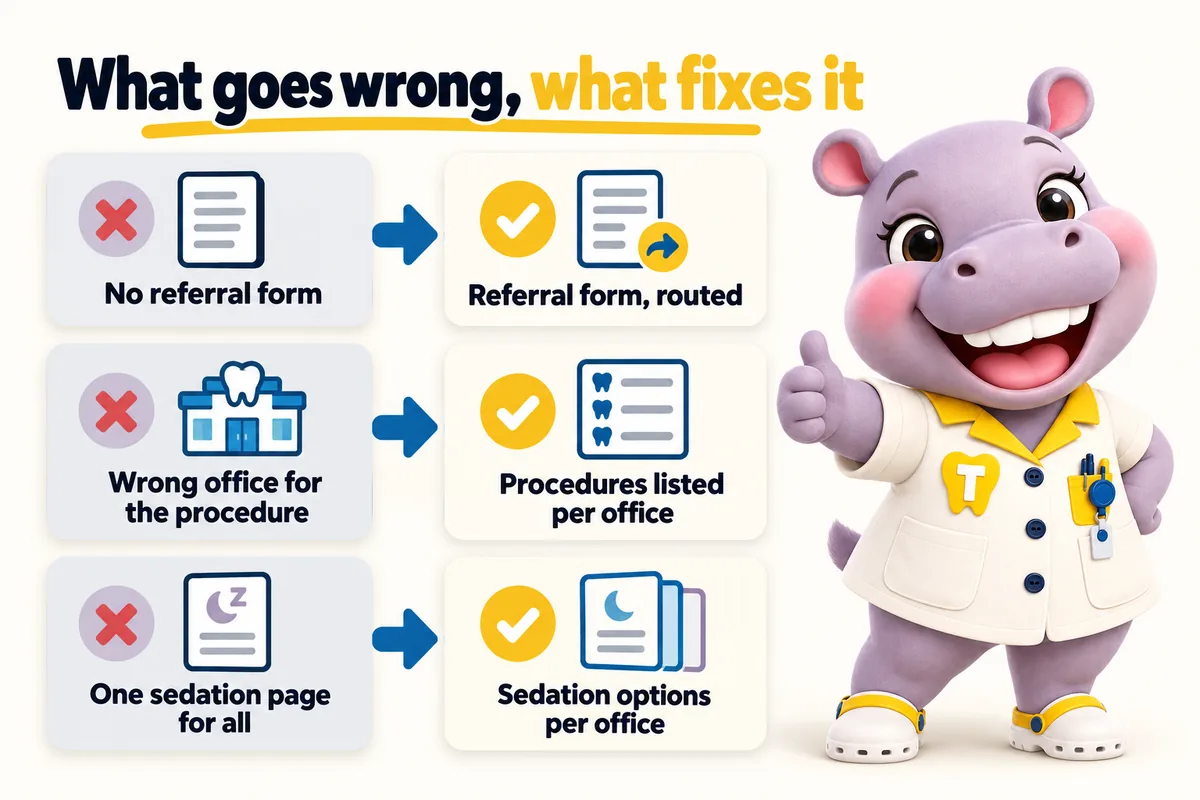
What goes wrong, what fixes it: no referral form, fixed by a referral form, routed; wrong office for the procedure, fixed by procedures listed per office; one sedation page for all, fixed by sedation options per office.
  • Referring dentists fax or call because the site has no referral form, and the practice loses the case to whoever is easier.
  • Patients arrive at the wrong office because procedures are offered at different locations and the site does not say which.
  • Pre-operative and post-operative instructions are PDFs from years ago that nobody can find on a phone.
  • Sedation and anesthesia options differ by surgeon and by office, and the site describes them once for everyone.

Contents

The pages your site will carry

Written from what you tell us on the onboarding call, approved by you before launch, and kept accurate every week after it.

  1. Home with the finder for patients and a referral route for dentists
  2. One location page per office with the procedures performed there and surgical days
  3. Wisdom teeth removal page
  4. Dental implants and bone grafting page
  5. Extractions and oral pathology page
  6. Anesthesia and sedation options page per office
  7. One provider page per surgeon
  8. Referring dentists page with a referral form

Finder with a referral route

A patient chooses the procedure they have been referred for, enters their town and sees the nearest office that performs it, the surgeons there and their consultation days. A referring dentist uses the same tool from the referral page, adds their practice and the patient's details, and the referral is delivered to the office that will handle the case, in the practice system or CRM you choose, with the referral slip attached.

Case studies

Case files from oral surgery practices and practices like them

All case studies
  • No. 01Oral surgery

    Newark, Delaware Sedation and anxious-patient dental practice

    Making the first response to dental office selection count

    For dental office selection, whoever opened the inbox first had to chase the missing details before the message could be passed on. On a busy day, that follow-up alone could push an answer into the next morning.

    • Purpose-specific fields
    • Readable notifications
    • Clear response expectations

    10 working days

  • No. 14Cosmetic dentistry

    Billings, Montana Cosmetic dentistry and whitening clinic

    Error messages worth reading on the dental office selection form

    With dental office selection, visitors re-entered correct information because the form would not say what was wrong. The less patient simply left.

    • Persistent labels
    • Inline errors
    • Retained field values

    15 working days

  • No. 15General dentistry

    Tulsa, Oklahoma Private dental practice

    Keeping old dental office selection links alive after a rebuild

    Day to day with dental office selection, the business faced a choice between keeping a structure that no longer fitted and breaking links it could not count.

    • URL inventory
    • Redirect map
    • Internal link updates

    20 working days

Reviews

What oral surgery practices tell us

  • The preparation page for dental office selection works because it keeps its focus. It tells people what to have ready before we speak, without demanding everything up front. The link now goes out with our reply to every new inquiry.

    Got Preparation guide and inquiry support for dental office selection

    Robin RothermereNew patient coordinator, Sedation and anxious-patient dental practice
    Fargo, North Dakota
  • We approved the new dental office selection form only after trying hard to break it. Labels stay put, errors explain themselves, and valid answers survive a failed attempt. It behaves the way we assumed forms behaved, until we tested the old one.

    Got Form usability and error handling for dental office selection

    Jasper MerrittOffice manager, Children's dental practice
    Columbia, South Carolina

How it runs

What happens after you order

Four steps to live, then the site is kept accurate every week. 5 revisions a month are included on every plan, each completed within 2 to 5 working days.

  1. 01

    Pay the first monthly invoice

    Pick a plan and pay the first month. That is the whole commitment; the $797 build fee waits until your site is live.

    Day 0
  2. 02

    One onboarding call

    Thirty minutes with your operations lead: offices, providers, services, brand, where each office's requests should go, and hub or one site per location.

    Day 1
  3. 03

    We build

    We design the site, write the pages, configure the finder for each office and connect each front desk. You review, we revise.

    Build
  4. 04

    Live, then the build fee

    Your site goes live in 7, 10 or 15 days depending on the plan. Only then is the $797 build fee invoiced. Weekly updates start the same week.

    Day 7 to 15

Oral surgery

See a site built for oral surgery practices

We walk you through the pages, the finder and the request routing set up for a practice like yours, then tell you which plan fits. Live in 7 days from the onboarding call.

Three ways to run it

Same site on every plan. The larger plans add the AI Engine and the Content Engine. The $797 build fee is invoiced after launch on all three.

The plan we usually suggest

Operatory Suite

Surgical practices are usually best served by Operatory Suite, because the AI receptionist answers overflow calls during procedures and routes referrals and patient requests to the right office.

Compare the plans line by line Every feature explained How we compare

Risk reversal

What we guarantee

Each promise is written with its condition in plain sight, so nothing is discovered after the invoice.

  • Build fee only after you approve the live site

    The $797 one-time build fee is invoiced after launch, once you have seen the site live and are happy with it.

    Condition The first monthly fee is paid up front to start the plan.

  • 90+ PageSpeed, held

    Every page we build scores at or above the target on mobile and desktop at launch.

    Condition If a page drops below it because of our work, we fix it at no charge and it does not use a revision.

  • Local rankings within 3 to 5 months

    The site starts ranking for local searches in your area within the window.

    Condition If it has not, we keep working on it at no charge. We never promise a specific position.

Questions

Questions from oral surgery practices

Can referring dentists upload a referral slip or an X-ray?

Yes. The referral form accepts attachments and delivers them with the request to the office's destination. The site does not store patient documents; they are passed through to your system.

Can instructions be shown per procedure and per office?

Yes. Pre-operative and post-operative instructions are pages, not PDFs, written from the instructions your surgeons supply, per procedure and with per-office differences noted. They read well on a phone and are updated as weekly detail updates when your protocols change.

Do articles risk giving surgical advice?

No. Articles explain what a consultation covers, what questions to ask and how the referral process works, with cited sources, and always send readers to your surgeons for their own case. We never write clinical recommendations.

Can the site handle two offices with different surgeons and procedures?

Yes. Each location page lists its own surgeons, procedures and days, each surgeon's page lists their offices, and the finder only shows an office for a procedure performed there.

Can referring offices see what to send?

Yes. A referrer page explains what to include, who handles which procedure at which office, and how the referral is routed.

Can surgeon pages show which offices they cover?

Yes. Each surgeon page lists offices and procedures, and each office page lists its surgeons.

Does the AI receptionist talk about procedures?

Only general, approved information such as office hours and how to book. It never gives clinical advice and hands anything clinical to a person.

Can consultation-only offices be shown?

Yes. Each office page states what happens there, and the finder only shows an office for services it offers.

Next step

See it built for oral surgery

A live walk-through, on your screen, of the site you would get. Thirty minutes, no slides.